The moment has arrived for everyone to understand secure email services. Unless you’re utilizing a secure email service, your email messages and attachments are likely being examined by the large corporations that supply your free email service. Gmail, Yahoo, and others have been criticized for not fully respecting the privacy of your inbox. These providers have been found in the past to engage in practices that can compromise user privacy. For example:
- Google is adding ever more advertisements into your Gmail Promotions section. We’re also seeing reports that some people are finding ads interspersed between messages within their Gmail Inbox.
- Gmail was caught giving third parties full access to user emails and also tracking all of your purchases.
- Advertisers have been allowed to scan Yahoo and AOL accounts to “identify and segment potential customers by picking up on contextual buying signals, and past purchases.”
- Yahoo was previously caught scanning emails in real time for US surveillance agencies.
Numerous prominent email platforms, despite substantial security investments, continue attracting hackers and experiencing breaches. For instance, thousands of Microsoft Exchange email servers have been compromised in the past, and services like Hotmail, AOL Mail, Yahoo Mail, and Mail.ru have also faced hacking incidents. Getting your email exposed like this can be a disaster, and recovering from them a time-consuming nightmare.
Selecting a smaller, less prominent secure email service can provide enhanced protection. Hackers targeting major services like Microsoft Outlook are less likely to focus on smaller, secure email providers.
If you want to ensure your emails and attachments remain secure and private, it’s time to switch to a secure email service. This guide profiles the top secure email providers for 2025, helping you choose the best one for your needs.

Note
Privacy Tip: When using email, be sure to also use a good VPN to hide your IP address and secure your internet traffic. We use and recommend NordVPN, one of the top services that has passed independent privacy and security audits. Get 77% off NordVPN here >
Which secure email service ranks highest in 2026?
Given the diversity of user types, there isn’t a single “best secure email” service that will be the top choice for everyone. While some may prioritize maximum security and strong encryption, others may want convenience and simplicity with user-friendly apps for all devices.
With that being said, here are our top recommendations:
- Proton Mail – Best all-around secure email service based in Switzerland [60% off coupon]
- StartMail – Private email hosted in The Netherlands with unlimited aliases [50% off coupon]
- Mailfence – Secure email for professionals and teams
- Tuta Mail – Secure Email for Any Device
- Mailbox.org – Affordable private German email service
Elements to evaluate when selecting the optimal secure email provider for your requirements
Here are just a few factors to consider when switching to a secure email provider:
- Jurisdiction – Where is the service located? Where is your data physically stored?
- PGP support – Some secure email providers support PGP, while others use alternative types of encryption.
- Import feature – Can you import your existing emails and contacts?
- Email apps – Many secure email services cannot be used with third-party email clients, but some also offer dedicated apps.
- Encryption – Are the emails end-to-end encrypted in transit? Are emails and attachments encrypted at rest?
- External communication – Can the service communicate securely with people who use a different service? How?
- Features – Features to consider are contacts, calendars, file storage, inbox search, collaboration tools, and support for DAV services.
- Security – What are the provider’s safety standards and policies?
- Privacy – How does the service protect your privacy? What data is being collected, for how long, and why?
- Threat model – How much privacy and security do you need and which service best fits those needs?
Here are the secure email services we think you should consider in 2025.
1. Proton Mail – Leading comprehensive secure email platform
| Based in | Switzerland |
| Storage | 15 – 1,000 GB |
| Price | $1.99/mo. |
| Free Tier | Up to 1 GB |
| Website | Proton.me |
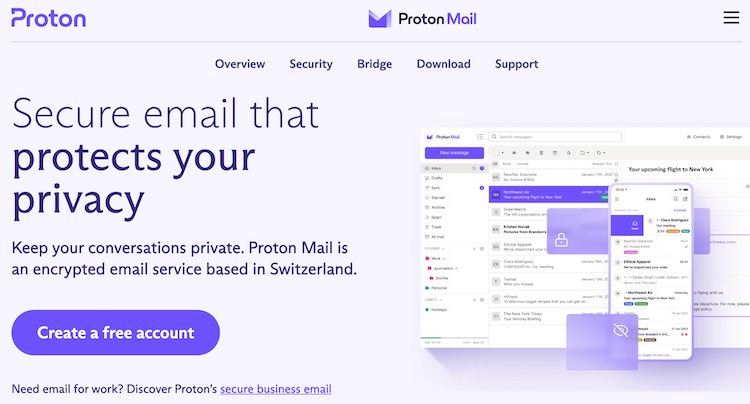
Proton Mail is a popular secure email service under Swiss jurisdiction. It uses the PGP encryption standards for email and stores all messages and attachments encrypted at rest on Swiss servers. Proton Mail simplifies the process of sending an encrypted message, making it accessible even to users without technical expertise.

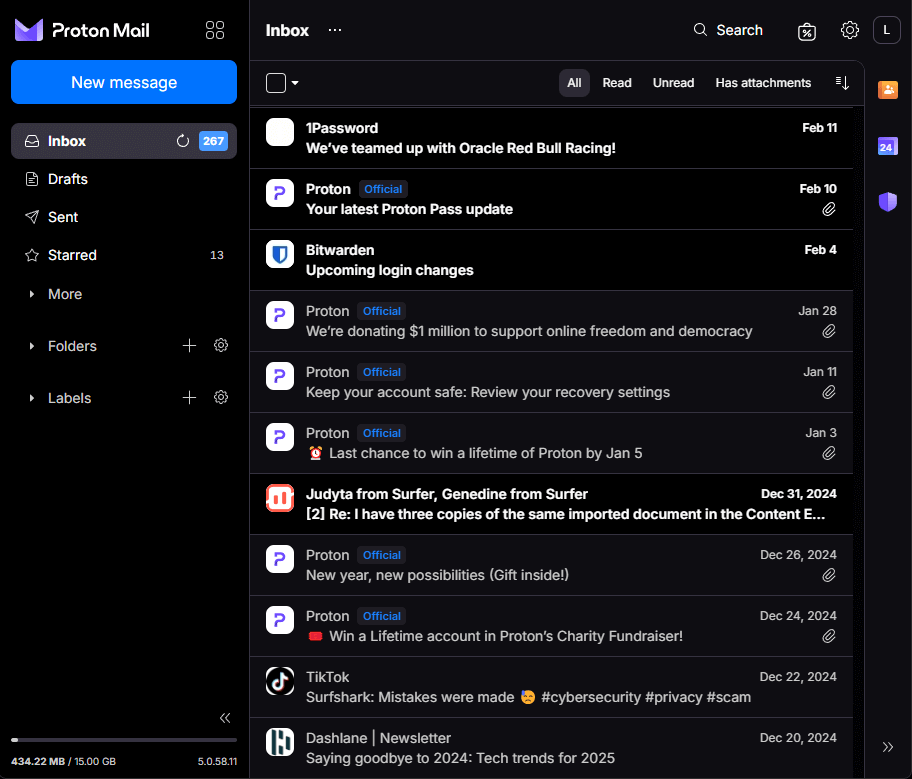
Proton Mail can send “self-destructing messages”, and uses address verification to eliminate certain kinds of attacks that could compromise your security. It is an easy-to-use service with an attractive user interface as you can see below:
Additional Proton Mail features and related tools:
- Supported platforms: Windows, macOS, Linux, Android, iOS, and Web browsers. Also IMAP and SMTP.
- End-to-end encryption: E2E encryption managed automatically by Proton Mail.
- Email aliases: Keep your real email private by using aliases.
- Custom domains: Manage your other email accounts within Proton Mail.
- Two-factor authentication (2FA): Boost your security by requiring a password and an authenticator app code.
- Automatic spam filter: Automatic spam filtering.
- Tracking protection: Blocks tracking pixels and hides external images.
- Calendar: Integrates with the encrypted Proton Calendar app.
- IP address protection: Keeps your IP address out of messages.
- Auto-reply: Automatically reply to incoming messages.
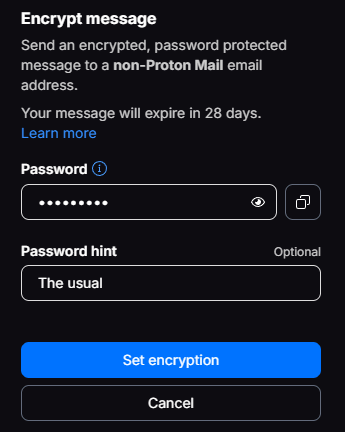
- Messaging non-users – Sends encrypted, password-protected messages to non-users for secure communication.
- Proton Mail Bridge – A connection to other email services.
- Proton Drive – Cloud storage for messages and mores.
- Proton VPN – Keep your IP address secret from even Proton Mail.
See all Proton Mail features here >

Proton mail encryption
With end-to-end and zero-access encryption, even Proton Mail cannot read your messages. However, Proton Mail does not encrypt the subject lines of emails or certain metadata. This is a limitation of the PGP standard that Proton Mail uses.
Note
Note: Proton Mail has been forced by the Swiss government to log the IP address and browser fingerprint of at least one user. Since the body of emails is always securely encrypted, Proton Mail cannot provide that information under any circumstances. For the most privacy, we urge you to use a VPN with Proton Mail or any other secure email service.
Overall Proton Mail is a well-regarded email provider and should be a great secure email option for most users.
Pros
- End-to-end (E2E) and zero-access encryption for Email, Calendar, and Contact information
- Operates under Swiss jurisdiction
- All data stored on servers in Switzerland
- Apps for Android and iOS mobile devices
- Web client, encryption algorithms, Android and iOS code are all open-source
- Support for custom domains
- Strips IP addresses from emails
- Can be used with third-party email clients through the Proton Mail Bridge feature
- Can import contacts and emails
Cons
- Subject lines not encrypted
- May require personal information for verification of new accounts
Proton Mail Cyber Deal is live:
(Coupon is applied automatically; 30-day money-back guarantee)
See ourProton Mail reviewfor more info.
2. StartMail – Private email hosted in The Netherlands with unlimited aliases
| Based in | The Netherlands |
| Storage | 20-30 GB |
| Price | $3.00/mo. |
| Free Tier | 7-day trial |
| Website | StartMail.com |
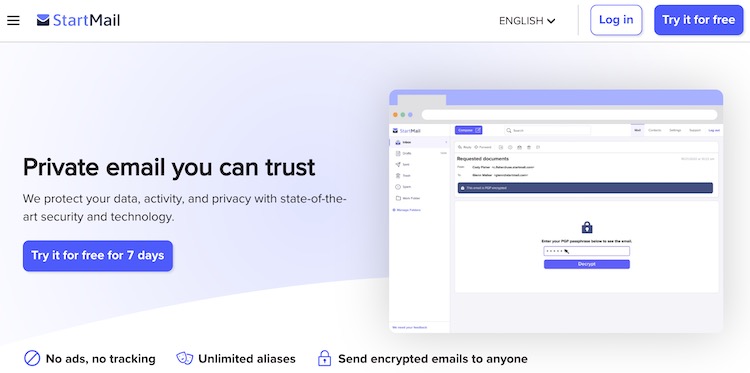
StartMail is a well-established secure email provider founded in 2013, based in the Netherlands. Known for its robust security features, StartMail supports two-factor authentication and offers end-to-end PGP encryption, ensuring your emails are protected from threats.
A standout feature is its offering of unlimited aliases, allowing you to create multiple email identities under one account for enhanced privacy. You can set time limits for these aliases, ranging from single-use to indefinite, providing flexibility and control over your email privacy.
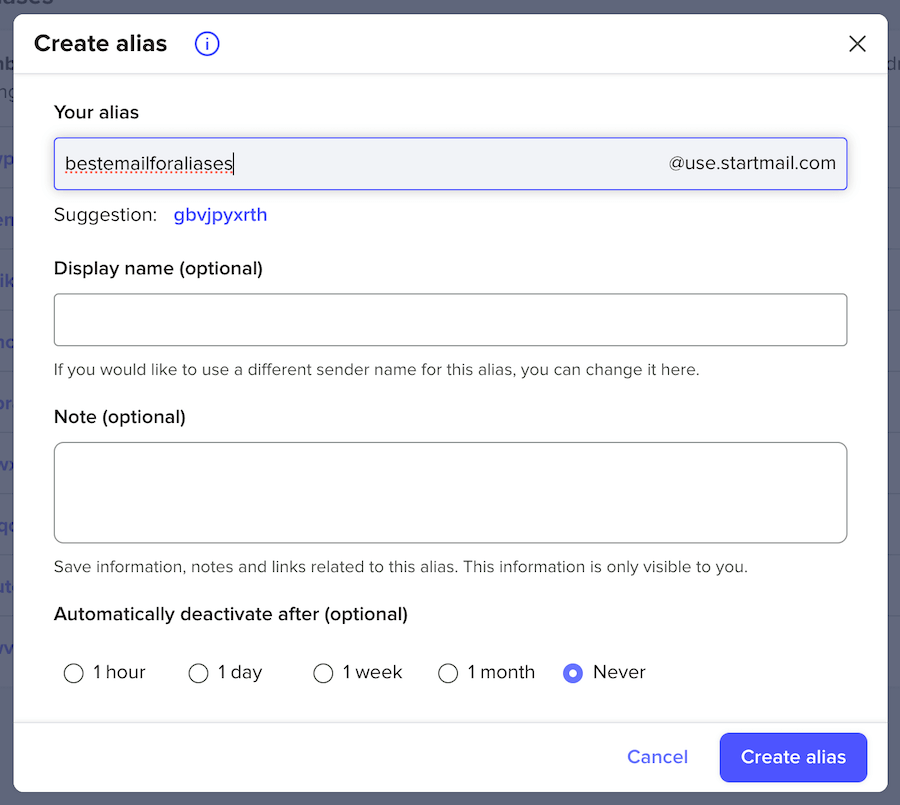
Given the importance of using email aliases for protecting your digital privacy, this is a feature we really focused on.
This secure email provider relies on your web browser or IMAP-capable third-party email apps since it does not have any native desktop or mobile apps. With end-to-end PGP encryption, StartMail ensures that your emails are secure from the moment you hit send until they reach the recipient.
StartMail is based in the Netherlands, which is a good jurisdiction for privacy. In addition, StartMail aims to keep as little data as possible to run their operations. Unlike most other secure email providers, StartMail handles encryption server-side, rather than in the browser – see their white paper explaining why.
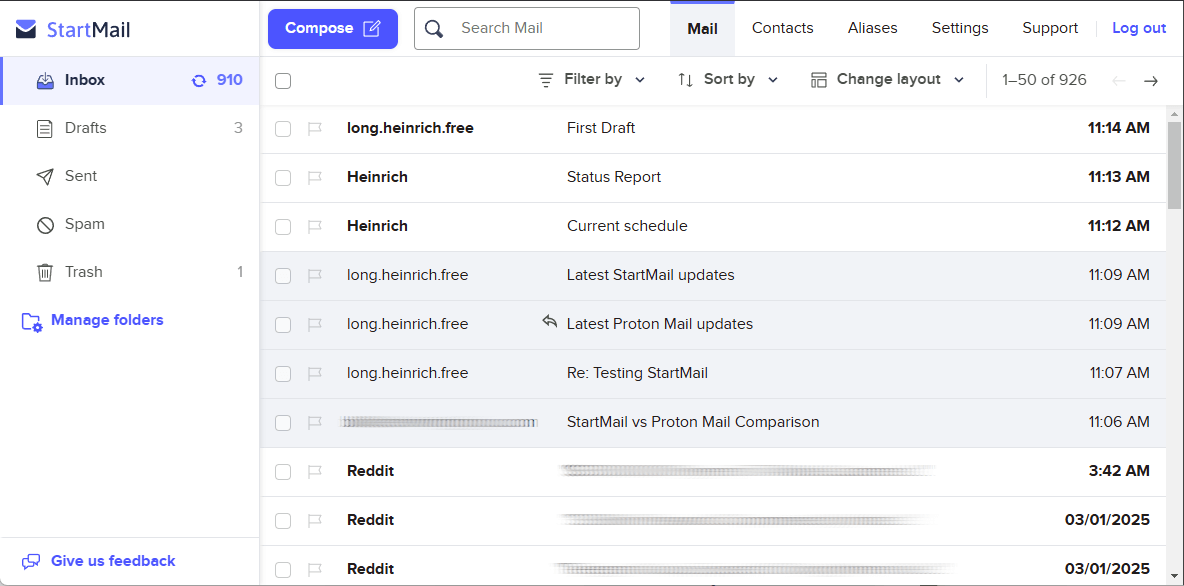
StartMail employs PGP encryption to secure emails at rest on their Dutch servers. This ensures that your messages are protected from unauthorized access. The service is designed to be user-friendly, allowing you to encrypt and sign your emails with just a single click, providing an extra layer of security and peace of mind.
NOTE: StartMail shares a history with StartPage, a private search engine. However, there is a notable difference in that StartPage is now owned by a US company called System1, whereas StartMail remains entirely independent, operating in The Netherlands, with no ties to System1.
StartMail’s strong encryption features and unlimited email aliases make it a great option for moving sensitive data by email. If you’re looking for a secure email provider that offers robust encryption and the convenience of managing multiple email identities, StartMail could be the perfect fit for you.
Pros
- Create unlimited email aliases
- PGP end-to-end encryption
- Easy contacts and email migration
- Organize your inbox with filters
- Minimalistic design
- No ads. No tracking. No spam.
- Flexible spam filter
- Anonymous cryptocurrency payments
- Use custom domain
- Compliant with GDPR
- 7-day free trial
Cons
- No free version
- Lacks calendar, notes, and file storage
StartMail Exclusive Coupon:
(Coupon is applied automatically)
3. Mailfence – Secure email for professionals and teams
Mailfence is a fully-featured secure email provider offering calendar, contacts, file storage, and PGP encryption. It is based in Belgium, which is a solid privacy jurisdiction with strict data protection laws.
The foundation of Mailfence’s security is its robust end-to-end encryption and digital signatures utilizing OpenPGP. OpenPGP, or Open Pretty Good Privacy, is a non-proprietary protocol based on the original PGP (Pretty Good Privacy) software. While the names may be different, you get the same level of privacy that the original PGP offers.
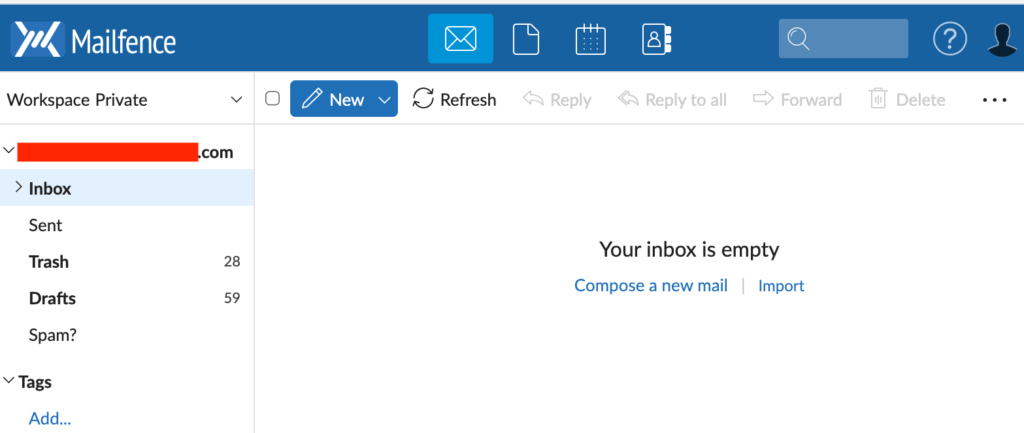
Although numerous secure email services sacrifice features and functionality for security, you can have it all with Mailfence. This makes Mailfence a great alternative to full email and productivity suites, such as G Suite or Office 365.
Mailfence supports all standard protocols like POP, IMAP, SMTP, WebDav. It also integrates a calendar, document storage, workspaces, and a chat which enable real time sharing of data and group collaboration, making it an ideal choice for professionals and teams. The user-friendly interface of Mailfence ensures that even users who are not tech-savvy can navigate the platform with ease.
While Mailfence does log IP addresses and some other data, the logging is part of Mailfence’s commitment to transparency. This information is only kept for a short period and is primarily used to maintain the quality and safety of the service.
Another privacy feature is that Mailfence accepts cryptocurrency payments, which eliminates the need to share the kind of personal information a credit card transaction requires.
Mailfence has native mobile apps for both iOS and Android platforms. This is in addition to the Progressive Web App (PWA) that was already available.
Note: Due to financial requirements imposed by Google, Mailfence has dropped support for POP/IMAP connections to Gmail servers.
Pros
- Offers end-to-end encryption and digital signatures
- Mobile app for iOS and Android
- Data is stored on Belgian servers
- Offers OpenPGP encryption
- Messages, Documents, Calendar, Contacts, and Groups
- Custom domains (paid plans)
- Password manager and 2FA
- SMTP, POP, and IMAP support
- Can synchronize with other email clients
- Supports password-protected messages with expiration time
- Removes IP addresses from mail headers
- OpenPGP user keystore
- Cryptocurrency payment options
Cons
- Logging of IP address and some other data
- Code is not open-source
4. Tuta Mail – Private and secure email in Germany
Tuta Mail (formerly Tutanota) is a Germany-based secure email service run by a small team of privacy enthusiasts, with no outside investors or owners. Although it is not as well-known as Proton Mail, Tuta is a serious player in the secure email space. Its hybrid encryption system overcomes some of the drawbacks of PGP, and your privacy rights are protected by the GDPR and other pro-privacy EU regulations.
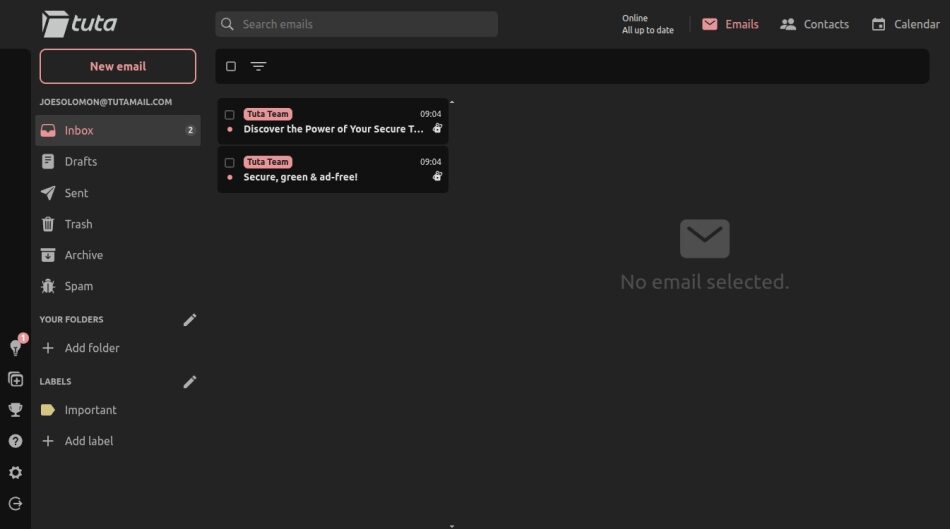
Tuta’s encryption system
All messages in your inbox, contacts, and calendar are encrypted at rest on servers in Germany. For sending encrypted emails with Tuta, you have two options:
- When emailing another Tuta user, all of your emails are automatically encrypted (asymmetric encryption).
- When sending an email to someone with another email provider, the user receives a link to the message and a password key for encryption/decryption purposes (symmetric encryption). Tuta Mail establishes an external mailbox for that particular contact, where all the exchanged messages are securely encrypted. This proves to be quite useful, especially if you are using it for business.
While Tuta uses quantum-resistant encryption and is arguably one of the most secure email providers anywhere, there are also some downsides. This includes no support for PGP, IMAP, POP, or SMTP.
To make up for the lack of IMAP support, Tuta Mail has built open source desktop clients for Windows, Linux, and macOS. They also have offline mode, so you can open your emails, calendars, and contacts even when you don’t have access to the web.
All in all, Tuta Mail is a transparent, high-security email provider that just may take your privacy to a whole other level.
Pros
- Encrypted messages (including Subject lines), Address Book, Inbox Rules and Filters, Search Index, encrypted at rest and stored on German servers
- Quantum-safe encryption by default with TutaCrypt for all plans
- Can search the body of encrypted messages
- Can send encrypted messages to non-users
- Strips IP address from emails
- Desktop, mobile, and web apps
- Open source code (including mobile apps)
- Encrypted calendar with iCard support
- Encrypted contacts
- Inbox rules with Spam filter
- Multiple email addresses (aliases)
- Support for custom domains
Cons
- Does not work with PGP
- Will not work with 3rd-party email clients
Website: https://Tuta.com
5. Mailbox.org – Affordable private German email service
| Based in | Germany |
| Storage | 2 – 100 GB |
| Price | €1.00/mo. |
| Free Tier | None |
| Website | Mailbox.org |
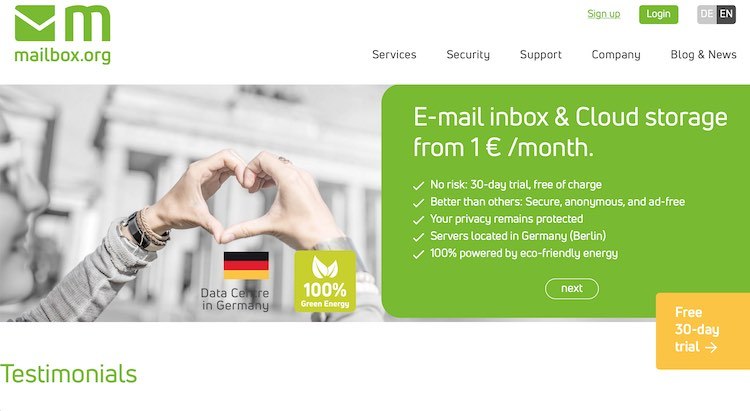
[IMAGE PLACEMENT #11]
Alt text: Mailbox.org email interface layout productivity suite
Caption: Mailbox.org comprehensive productivity suite interface
Image credit: Brinkera
Mailbox.org is a German secure email service that you should definitely consider. Among the top secure email service providers, it delivers strong security for your email while functioning as an all-inclusive productivity suite, similar to Microsoft 365. The platform offers a huge lineup of features, including Mail, Calendar, Address Book, Drive (cloud storage), Tasks, Portal, Text, Spreadsheet, Presentation, and Webchat.
Impressively, Mailbox.org still has a user-friendly interface and sharp design.

When looking for a highly secure email provider, you often have to decide between features and security. With Mailbox.org, you can arguably get the best of both worlds. From the security and encryption side, it offers full PGP support and can easily encrypt all your data at rest on their secure servers in Germany. You can also use Mailbox.org with mobile apps and third-party email clients.
Lastly, Mailbox.org is very affordable, with basic plans starting at only €1 per month. You can pick up a free 30-day trial if you want to test-drive this privacy-focused email provider.
Note: Mailbox.org does receive requests for information from “public authorities.” In 2024, they received 83 requests for information, and ultimately rejected 25 of them. They responded to the rest of them as required by law.
Pros
- PGP support (server-side or E2E through Mailvelope app)
- Company and servers located in Germany with strong privacy protections
- HSTS and PFS for messages in transit
- Protected against man-in-the-middle attacks
- Message and spam filters
- Virus protection
- Full text search
- POP, IMAP, SMTP, ActiveSync support
- vCard, CardDAV, CalDav support
- Messages are encrypted at rest
- Supports custom domains
- Mobile apps for some of the Office features
- Open source
Cons
- No mobile email clients (but can be used with third-party email clients)
- Some tracking during registration
- PGP encryption leaves message subject and metadata exposed
Website: https://Mailbox.org/
Jurisdictions matter
The jurisdiction in which your email service is located can seriously impact the security of your data. Depending on your threat model, this could be a major consideration.
Here are some reasons why you should pay attention to jurisdiction.
Surveillance in the United States (leading member of the Five Eyes)
US tech companies can be compelled to allow government access to their servers for extensive surveillance on communications and stored data, as seen in the PRISM surveillance program. These requests often come with gag orders that prevent the company from informing users (see also National Security Letters).
Instances have occurred where American email service providers were forced to surrender user information. Notably, Lavabit chose to shut down rather than disclose user data. Similarly, Riseup was compelled to provide data to law enforcement.
State of privacy in Europe
European politicians continue to spew rationalizations for eliminating encryption and privacy in general across the planet. Tech companies and secure email services such as Tuta Mail and Mailfence are advocating for user privacy, but the future of encryption (and freedom itself) in Europe remains uncertain.
All email providers must comply with the law
Jurisdictions are important because all email providers must comply with legal requirements in the country they are operating in. As mentioned earlier, Proton Mail has been forced to spy on its users due to valid Swiss court orders, as they disclose in their transparency report. Using a good VPN service with your email service is becoming mandatory in much of the world.
Want secure email? Pay for it.
The “free” email model is flawed, as it monetizes users’ data for ads. In contrast, we recommend privacy-focused, secure, ad-free email services. While some offer limited free plans, upgrading to a paid plan provides more storage and features. Supporting these ethical services helps them grow and maintain a business model that respects user privacy.
Secure email shortcomings and PGP flaws
Most secure email services mentioned in this guide use PGP for end-to-end encryption. PGP, which stands for Pretty Good Privacy was invented back in 1991 by Phil Zimmermann.
PGP Flaws – While PGP is considered a trustworthy, secure encryption method, there have been some flaws in implementing PGP that have made headlines recently. And let’s not forget about EFAIL vulnerabilities.
While the news did attract lots of attention, the “flaws” were mainly tied to the incorrect implementation of PGP by third parties. To my knowledge, this did not affect the secure email providers mentioned in this guide.
Limited Use – A significant challenge with secure email adoption is the complexity of PGP key management, encryption, and decryption processes. However, there are solutions, and encrypted email usage is on the rise. Many secure email providers simplify this by automating encryption. For instance, Tuta Mail employs built-in AES encryption that automatically secures emails between Tuta Mail users, covering headers, subject lines, bodies, and attachments.
Vulnerabilities – Even when using a secure browser, there are still weak points to browser-based email clients. If you want to maximize your email security, consider using a service that provides desktop and mobile apps for the devices you wish to use, instead of relying on browser-based email.